Real work

What the 6164 team has built with AI for real organisations.

These are real projects by the 6164 team. Client names are withheld until we have their written permission.

Case 01 · Facilities maintenanceWeb app
Working prototype — in review with the client Sector: Tertiary education · Facilities

One place to run every maintenance job, from fault to payment

Client: a New Zealand university’s facilities team

Problem

The team runs many small maintenance jobs at once: repaints, wall repairs, door hardware, electrical checks, across many buildings and several contractors. With that many moving parts, there was no single view of where each job stood, or who the ball was with.

What we built

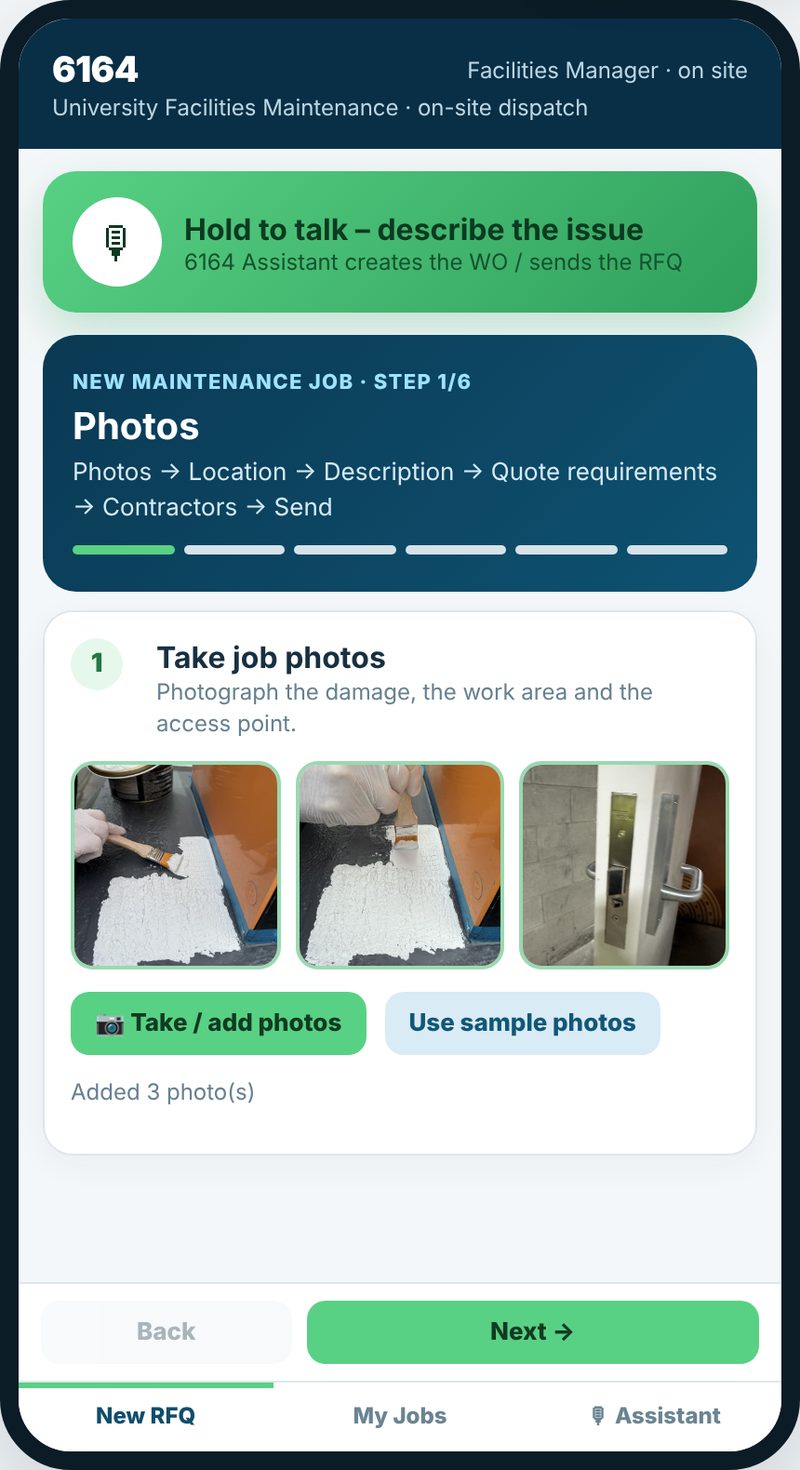
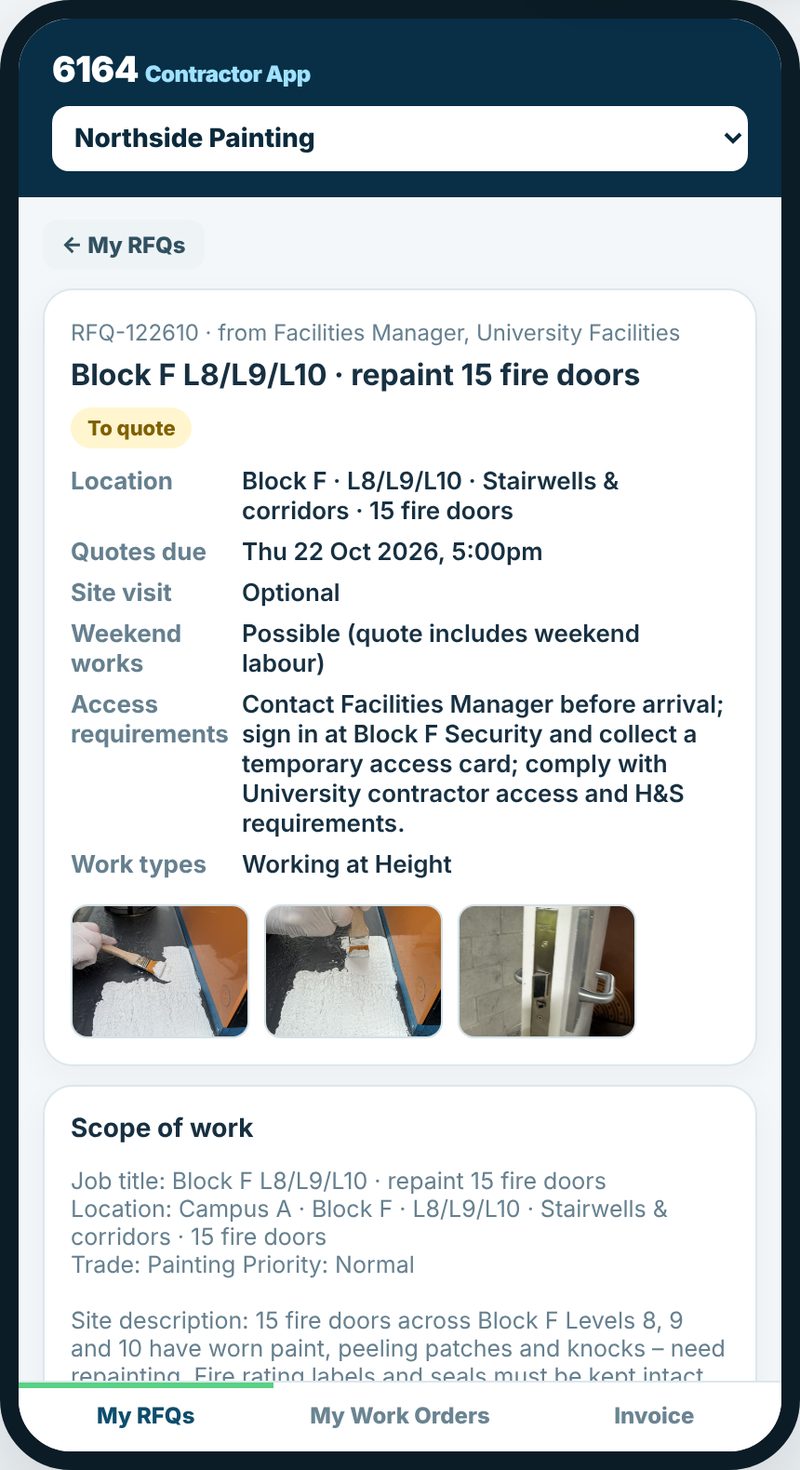
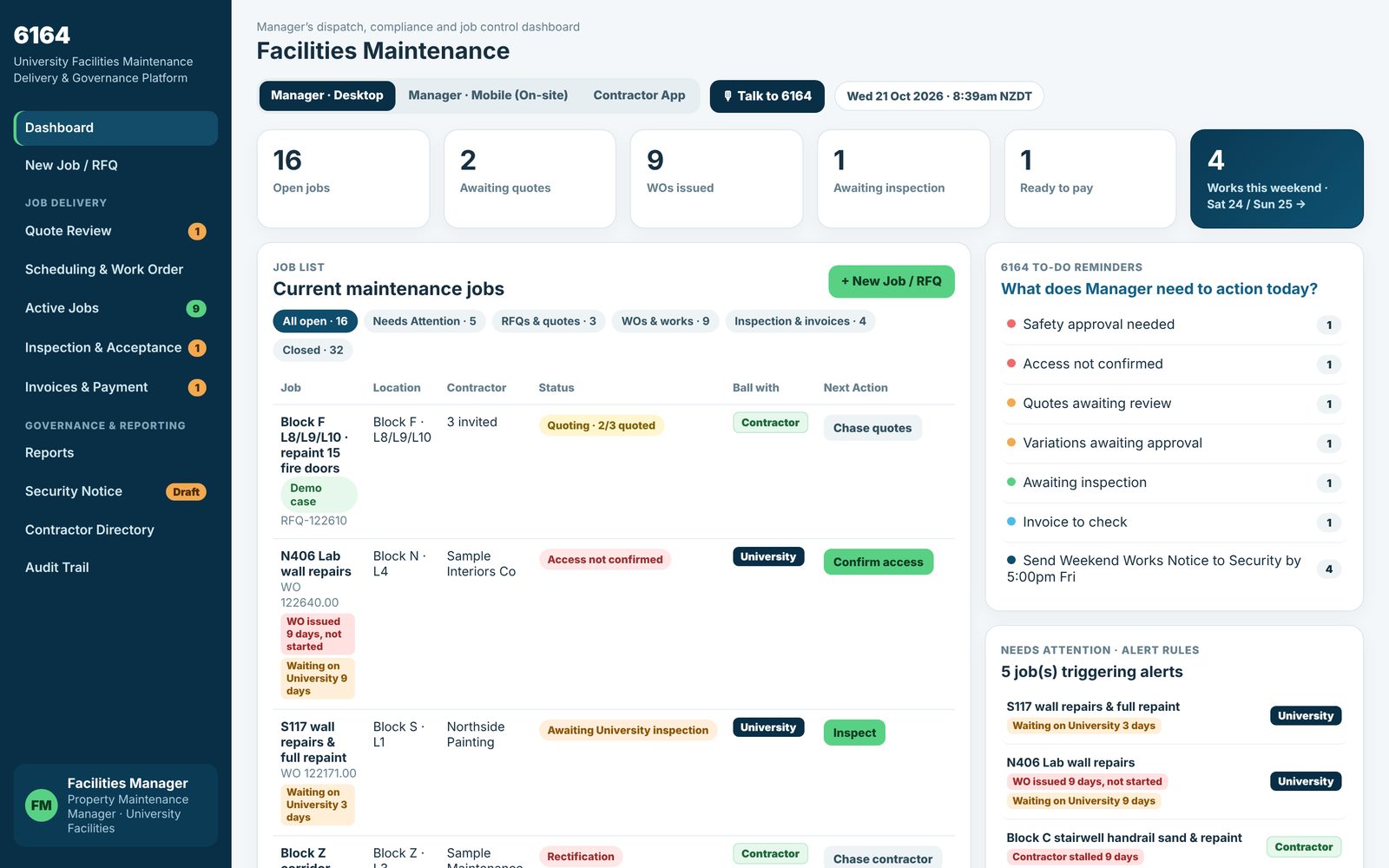
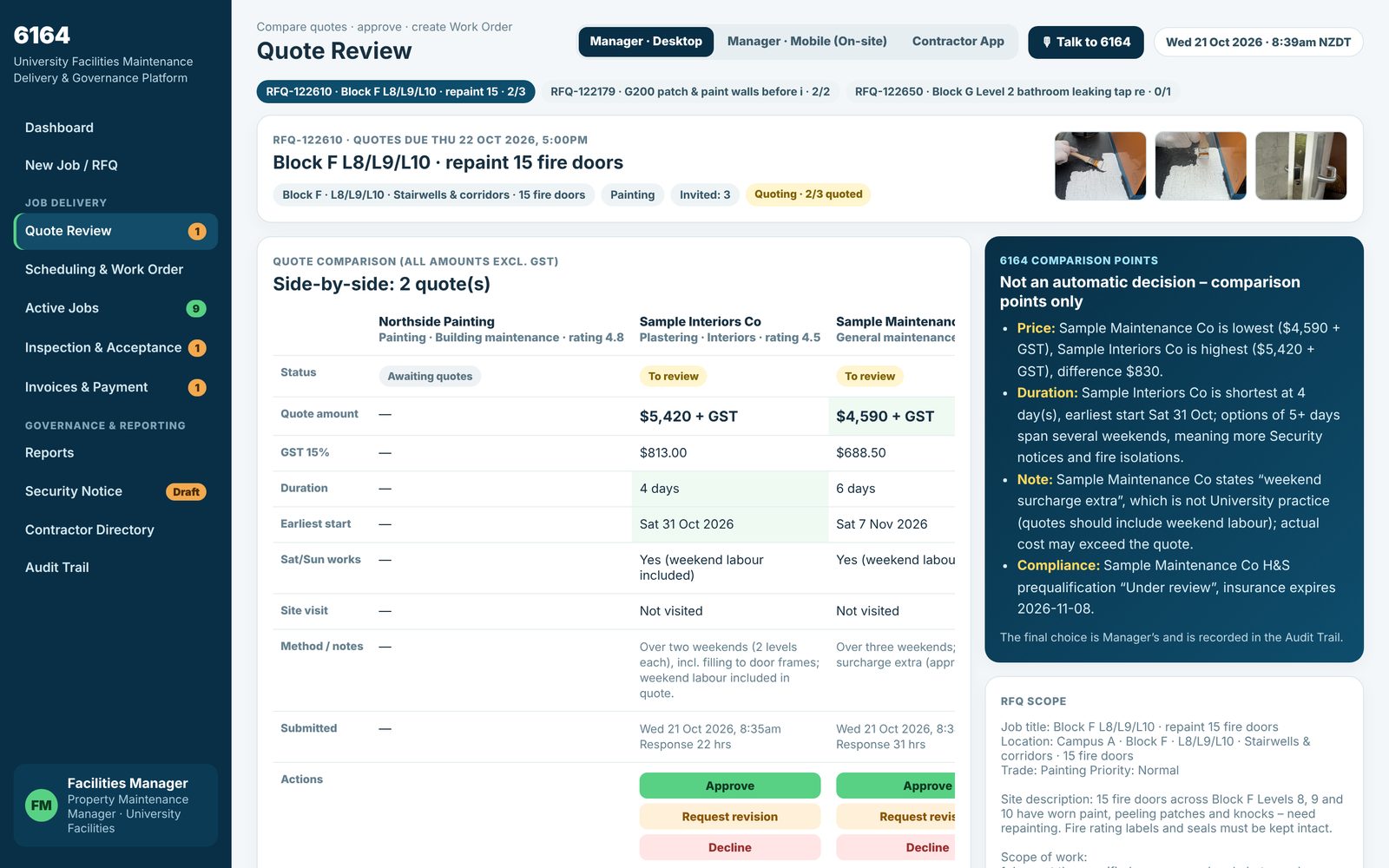
A working prototype that follows each job through every step: fault found on site, request for quotes, side-by-side quote review, approval and work order, delivery with photo evidence, inspection and acceptance, then invoice and payment. Every job shows whose move it is.

Around that: reports, a weekend-works notice for campus security, a contractor directory and an audit trail. It has three views (manager desktop, manager phone on site, contractor app) and a voice assistant.

How it was built

Built with AI tools by the 6164 team, drawing on first-hand facilities experience rather than a programming background. The prototype runs in a web browser, so the client’s team can click through every step with sample data.
Case 02 · SiteLogWeb app for phones
In build — specification complete, pilot planned Sector: Construction & trades

SiteLog: a simple site log for small building companies

Client: an Auckland construction company

Problem

A building or trade company of 3–15 people often has crews on several sites across Auckland at once. The owner can’t see what is happening on each site, and it is hard to work out how many hours each job really took.

Planned first version

  • Site check-in when a worker arrives
  • Health & safety sign-in: site induction, daily hazard check, hazard reports with photos
  • Progress photo timeline for each site
  • Client view link: read-only, no sign-up
  • Hours by worker and site, exported as CSV

Where it is now

The specification is complete and the project foundations are set up and tested. It will run in the phone’s web browser, so there is no app store download. Next is building sign-in and the data behind it, then a trial with a small number of companies.

Planned first version: how a day on site will work

Not built yet. This is the plan, not a screenshot.

  1. Arrive and check inOpen SiteLog and tap check in. The location is checked once, at that moment.
  2. Health & safetySite induction on the first visit, then a short hazard checklist each day.
  3. Photos and notesProgress photos with a one-line note go on the site’s timeline.
  4. Client looks inThe client opens a private link to see progress. No app, no sign-up.
  5. Check out, hours add upHours roll up by worker and by site, ready to export.

Location is only read when a worker taps check in or check out. SiteLog does not track workers through the day and does not score how hard anyone is working.

Have a job like this?

Post a brief describing the problem, or talk to the 6164 team about a project like these.